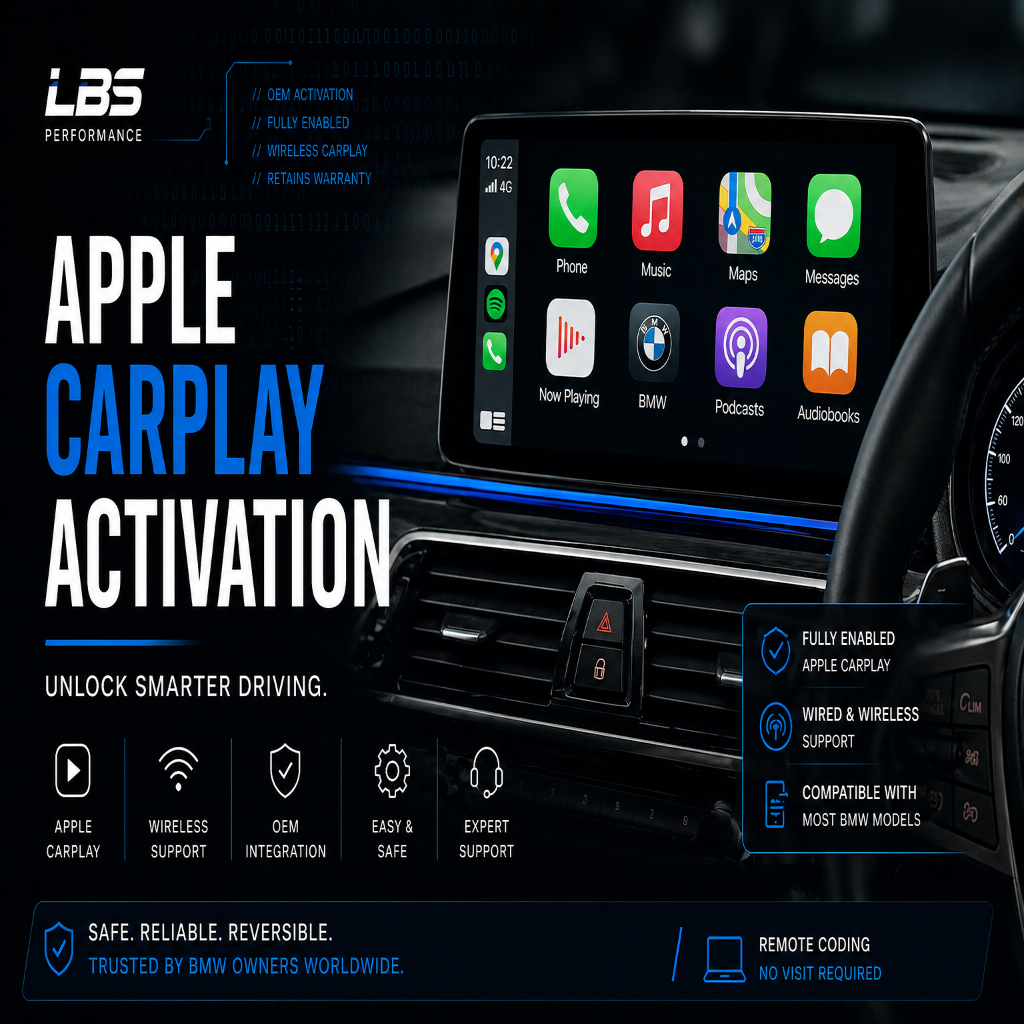
BMW Apple CarPlay Activation
BMW Apple CarPlay Activation
Couldn't load pickup availability
Add wireless fullscreen Apple CarPlay to your BMW using a clean OEM software activation. No aftermarket hardware, no head unit removal, no visible modifications. Your iPhone connects automatically every time you start the car.
What you get
- Wireless Apple CarPlay that connects automatically every time you start your car
- Fullscreen OEM-style interface fully integrated with your BMW's iDrive system
- Real-time navigation using Apple Maps, Google Maps or Waze with live traffic
- Hands-free calls, messages and Siri voice control for safer driving
- Access to Spotify, Apple Music, podcasts, audiobooks and more
- No aftermarket hardware, no head unit removal, no visible modifications
- Fully reversible: the original configuration can be restored at any time
Choose your option
Select the option at checkout that matches your situation. Not sure which applies to you? Use our compatibility checker or contact us and we will confirm before you order.
Home DIY Activation
For customers who have a built-in WiFi antenna and are happy to follow step-by-step instructions.
- Place your order and include your VIN in the order notes at checkout.
- We prepare your vehicle-specific activation files and send them to you by email with full instructions, typically within 1 hour during UK business hours.
- Follow the simple guided steps to complete the activation yourself from home.
Home DIY Activation + WiFi Antenna
For customers who do not have a built-in WiFi antenna and are happy to install one themselves.
- Place your order and include your VIN in the order notes at checkout.
- We send you your vehicle-specific activation files by email along with a WiFi antenna in the post.
- Install the WiFi antenna, then follow the included instructions to complete the CarPlay activation.
Remote Guided Appointment
For customers who have a built-in WiFi antenna and would prefer us to handle the activation for them.
- Place your order and include your VIN in the order notes at checkout.
- We get in touch to arrange a convenient date and time for your session.
- At the agreed time, connect your ENET cable to your laptop and we connect remotely and carry out the activation for you. The session typically takes under 30 minutes.
Remote Guided Appointment + WiFi Antenna
For customers who do not have a built-in WiFi antenna and would prefer us to handle the activation for them.
- Place your order and include your VIN in the order notes at checkout.
- We send you a WiFi antenna to install before your appointment, then get in touch to arrange a convenient date and time.
- At the agreed time, connect your ENET cable to your laptop and we connect remotely and carry out the activation for you. The session typically takes under 30 minutes.
What you need
- A Windows laptop running Windows 8 or newer
- A BMW ENET (OBD2) cable
- A stable internet connection
- NBTevo iDrive software version NBTevo_N or newer (required for fullscreen CarPlay)
- A built-in WiFi antenna (typically included with options 6NW or 6WD). If you do not have one, select the WiFi Antenna variant at checkout and we will supply one
ENET cables are available from Amazon and eBay for approximately £10 to £15. Not sure what software or antenna your vehicle has? Use our compatibility checker.
Important information
- Please include your vehicle VIN in the order notes at checkout
- Orders without a VIN may be delayed
- Once activation files have been generated or a remote session has been carried out, refunds are not available
Compatible BMW models
This activation is compatible with BMW F-Series and G-Series models fitted with an NBTevo Professional Navigation (iDrive 5 or iDrive 6) head unit. Common compatible models include:
| Model | Chassis Code | Year (approx) |
|---|---|---|
| 1 Series | F20 / F21 | 2016 – 2019 |
| 2 Series Coupe / Convertible | F22 / F23 | 2016 – 2021 |
| 2 Series Gran Tourer | F46 | 2016 – 2021 |
| 3 Series / M3 | F30 / F31 / F34 / F80 | 2016 – 2019 |
| 4 Series / M4 | F32 / F33 / F36 / F82 / F83 | 2016 – 2021 |
| 5 Series | F10 / F11 / G30 / G31 | 2016 – 2023 |
| 6 Series / M6 | F06 / F12 / F13 | 2016 – 2019 |
| 7 Series | G11 / G12 | 2016 – 2022 |
| X1 | F48 | 2016 – 2022 |
| X2 | F39 | 2018 – 2023 |
| X3 | F25 / G01 | 2016 – 2021 |
| X4 | F26 / G02 | 2016 – 2021 |
| X5 | F15 / F85 / G05 | 2016 – 2023 |
| X6 | F16 / F86 / G06 | 2016 – 2023 |
| Z4 | G29 | 2019 – 2023 |
Not sure if your specific vehicle qualifies? Use our compatibility checker or contact us with your VIN and we will confirm.
NBTevo software version compatibility
To check your version: go to Navigation → Map → Options → Navigation Settings → Position and Version → Version Information. The version starts with NBTevo_ followed by a letter.
| NBTevo Version | CarPlay Support | Notes |
|---|---|---|
| NBTevo_G through NBTevo_M | Split-screen only | Fullscreen requires a software flash upgrade — see our iDrive Software Update service |
| NBTevo_N and newer (N, O, P, Q, R, S, T, U, V, W, X, Y) | Fullscreen wireless | Compatible with this activation — fullscreen and wireless CarPlay supported |
Frequently asked questions
Will this void my BMW warranty?
This is a software-only OEM activation using the same coding tools as BMW dealers. It activates a feature that is already built into the head unit. The activation is fully reversible and leaves no trace. We always recommend checking with your dealer if your vehicle is still under manufacturer warranty.
Is this a lifetime activation?
Yes. Once activated, CarPlay is permanently enabled on your vehicle. There are no subscriptions, renewal fees or annual charges.
Can BMW deactivate it during a service?
In some cases a BMW software update at a dealer can reset the activation. If this happens, we will reactivate your vehicle free of charge — just get in touch with your order details.
Do I need an iPhone?
Yes. Apple CarPlay is an Apple product and requires an iPhone running iOS 7.1 or later. Android Auto is not supported on NBTevo head units.
How long does the activation take?
For the DIY option, most customers complete the activation in under 15 minutes following our step-by-step instructions. For remote guided appointments, the session typically takes under 30 minutes.
What if my car does not have a WiFi antenna?
Wireless CarPlay requires a built-in WiFi antenna. If your vehicle does not have one, simply select the WiFi Antenna variant at checkout and we will supply and post one to you. Installation is straightforward and does not require any specialist tools.
My version is NBTevo_G to NBTevo_M — can I still get fullscreen CarPlay?
Yes, but you will need a software flash upgrade first to bring your head unit up to iDrive 6. We offer this as a separate service — see our iDrive Software Update & CarPlay Activation product which combines both steps.
Secure Payments